
Scene by scene breakdown
1. What does it do?
Scene by Scene splits your video into individual scenes and reads each one separately. For every scene, you see what happens on screen, how it performs, and what to change.
For weaker scenes, you get a concrete edit suggestion. Where possible, suggestions focus on changes you can make with footage you've already shot, so you can improve the spot without going back into production.
How it helps:
- See exactly where your video gains or loses branding and emotion.
- Find the scenes that hold your spot back.
- Get specific, practical edits instead of general feedback.
- Brief your agency with clear, scene-level changes.
Scene by Scene is available for AI Pre-test.
2. How to read it
You'll find Scene by Scene in Behavio Insights, on the right side of your AI Pre-test report. Click the Scene by scene tab next to AI chat.
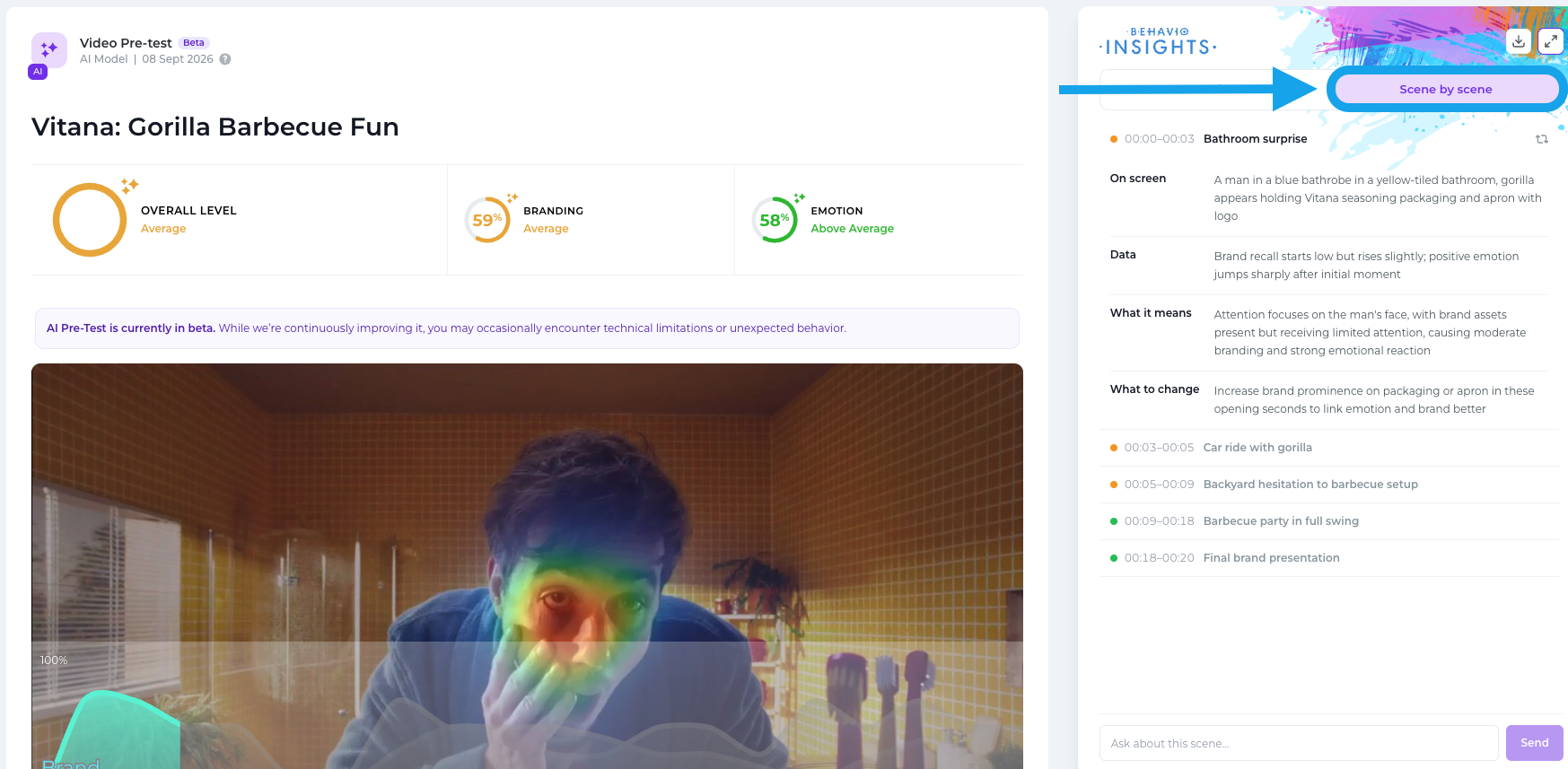
Each scene is listed with its timestamp and a short title. The colored dot next to it shows how the scene performs:
- 🟢 Green: the scene performs well.
- 🟠 Orange: the scene has room for improvement.
- 🔴 Red: the scene is weak and needs attention.
Click a scene to open its breakdown:
- On screen: what happens in the scene.
- Data: how brand recall and positive emotion develop during the scene.
- What it means: why the scene performs the way it does.
- What to change: a concrete edit to make the scene work better.
Want to dig deeper? Type your question in the Ask about this scene field at the bottom, for example:
- "Why is branding weak in this scene?"
- "How could we show the logo earlier here?"
- "Should we cut this scene or shorten it?"