What if an invited user can’t find the invitation email?
Step 1: Open Members
- Sign in to the Behavio platform.
- If you have multiple workspaces, make sure you’re in the correct one.
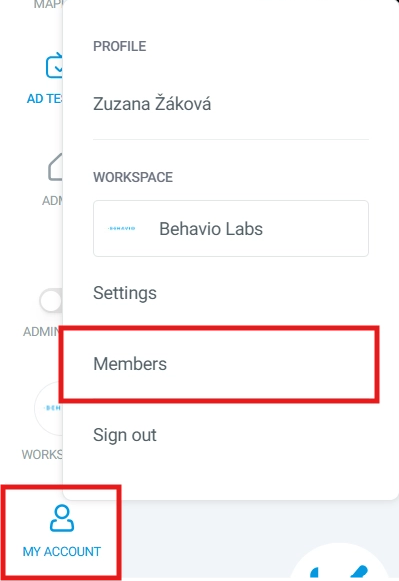
- In the workspace, click
MY ACCOUNTand open theMemberstab. - You will see the list of users with access to the workspace.
Step 2: Copy the invitation link
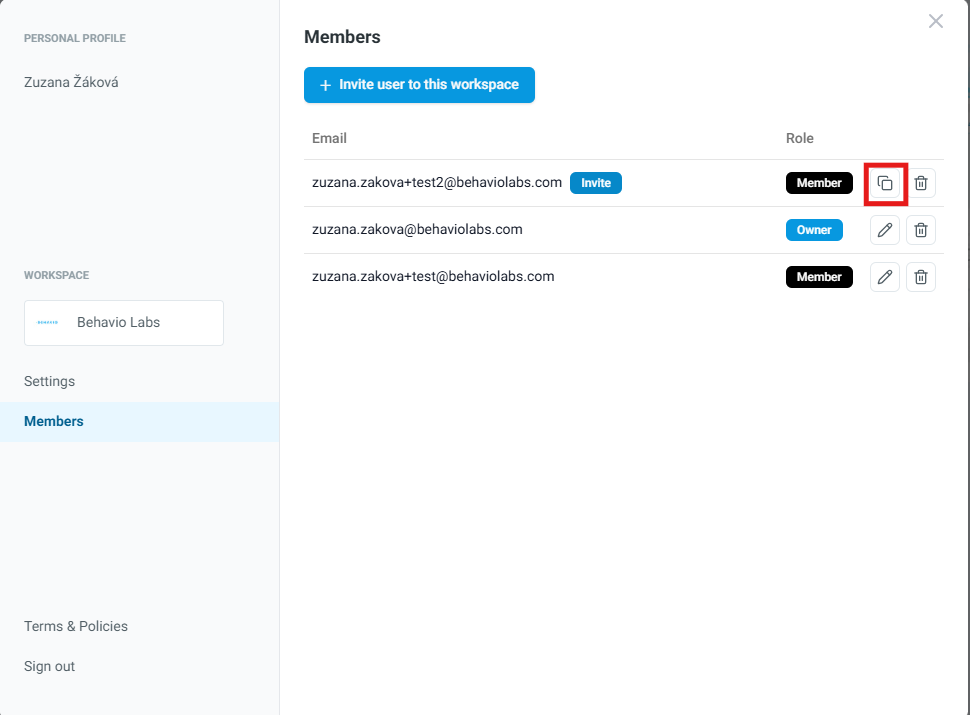
- Find the user’s email in the list and click the
Copyicon. - The invitation link will be copied to your clipboard — you can send it to the user (e.g., by email or chat).