How to remove a user’s access to the workspace
Step 1: Open Members
- Sign in to the Behavio platform.
- If you have multiple workspaces, make sure you’re in the correct one.
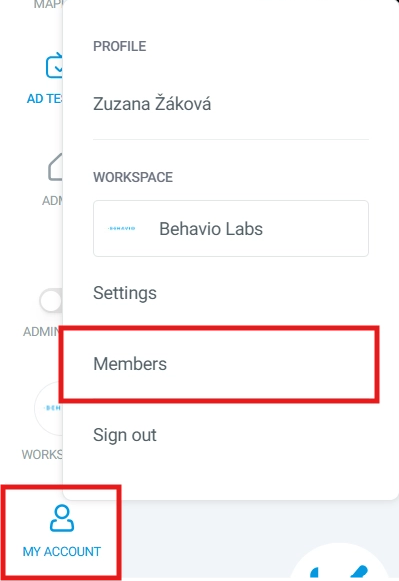
- In the workspace, click
MY ACCOUNTand open theMemberstab. - You will see the list of users with access to the workspace.
Step 2: Remove access
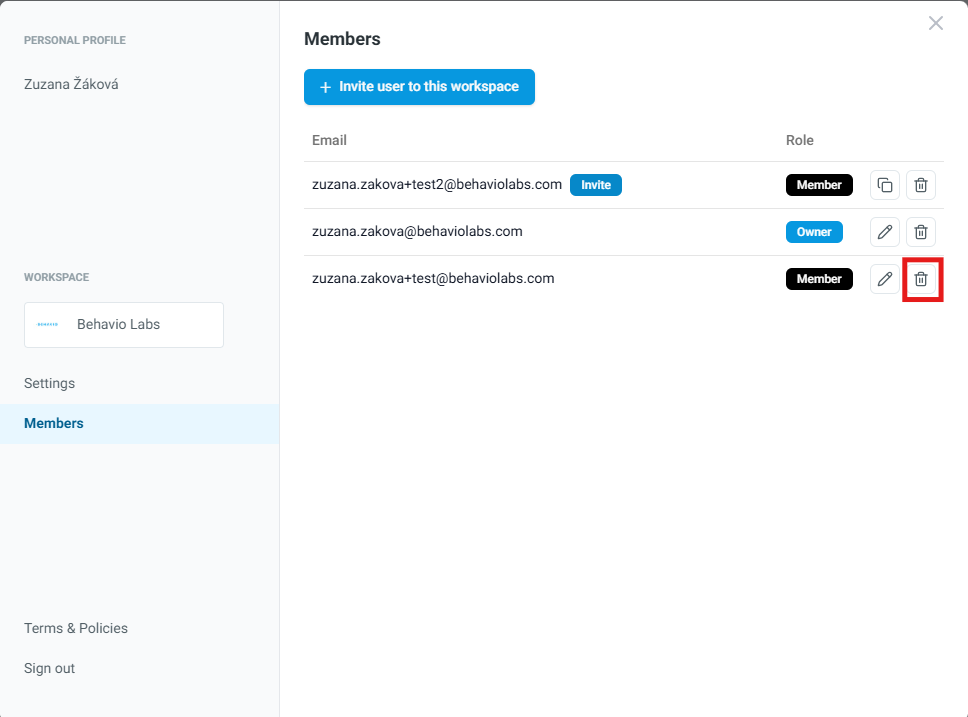
- Next to the selected user, click the trash icon and confirm removal.
- Removing access takes the user out of your workspace, but it does not delete their Behavio platform account.